
Maintaining visitor trust and safeguarding your data depend on you securing your PHP website. Given the complexity of cyberthreats, strong security practices are absolutely vital. These basic but powerful actions will help you protect your WordPress website:
Changing the default login URL will help you improve the security of your website most easily. Default access to PHP login pages for WordPress is “yoursite.com/WP-Admin” or “yoursite.com/WP-Login.php.” Hackers are aware of this, so your site is more susceptible to brute-force attacks.
Your chance of brute-force attacks will be greatly reduced by changing your login URL. Reducing the ease of access to your login page raises the security level of your website.
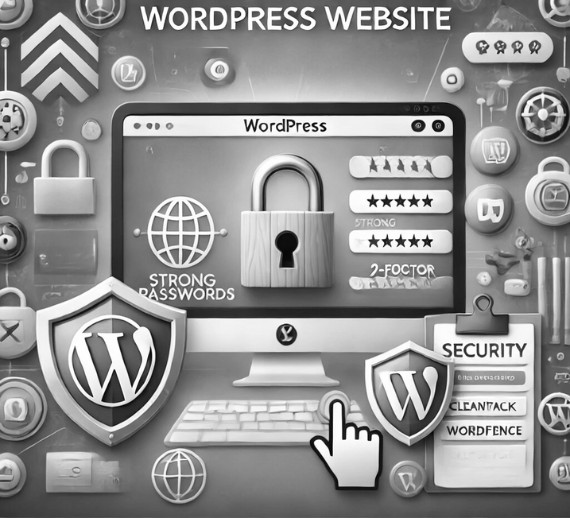
A major security hazard is weak passwords. Strong, autogenerated passwords greatly lower the possibility of your site being hacked. Usually, a strong password combines numbers, upper- and lower case letters, and special characters.
Encouragement of strong password use on every user account on your website will help to considerably increase its security. Best practices also include routinely changing passwords and avoiding often guessed words or common phrases.
Security plugins are essential for protecting your website against various threats. CleanTalk and Wordfence are two popular options.
Maintaining the integrity of the content and user experience of your website depends on spam protection, which CleanTalk provides in general.
Wordfence guarantees your site stays safe and functional by offering a strong suite of tools to guard it from many kinds of attacks.
By means of 2-factor authentication (2FA), adding an additional layer of security guarantees that even in cases of password acquisition, someone still requires a second form of validation to access your website.
2FA significantly enhances your site’s security by requiring a second form of verification, making it much harder for unauthorized users to gain access.
Although the above actions are important, there are a few more steps you could follow to strengthen your PHP website:
Securing your WordPress website doesn’t have to be difficult. Your site’s security will be greatly improved by switching your login link, using strong passwords, applying CleanTalk and Wordfence security tools, and turning on 2-factor authentication. Start these today to keep your data safe and guard your site against possible hazards.
Maintaining this protection over time requires consistent updating of your plugins and security monitoring of your website. Use this advice to make sure your PHP website stays safe and reliable, giving your guests a safe experience and peace of mind.
आगंतुकों का भरोसा बनाए रखना और अपने डेटा की सुरक्षा करना इस बात पर निर्भर करता है कि आप अपनी PHP वेबसाइट को सुरक्षित रखते हैं या नहीं। साइबर खतरों की जटिलता को देखते हुए, मजबूत सुरक्षा अभ्यास बिल्कुल ज़रूरी हैं। ये बुनियादी लेकिन शक्तिशाली क्रियाएँ आपकी WordPress वेबसाइट को सुरक्षित रखने में आपकी मदद करेंगी:
1. अपना लॉगिन लिंक बदलें
डिफ़ॉल्ट लॉगिन URL बदलने से आपको अपनी वेबसाइट की सुरक्षा को सबसे आसानी से बेहतर बनाने में मदद मिलेगी। WordPress के लिए PHP लॉगिन पेजों तक डिफ़ॉल्ट पहुँच “yoursite.com/WP-Admin” या “yoursite.com/WP-Login.php” है। हैकर्स इसके बारे में जानते हैं, इसलिए आपकी साइट ब्रूट-फोर्स हमलों के लिए अधिक संवेदनशील है।
अपना लॉगिन URL बदलने से ब्रूट-फोर्स हमलों की संभावना बहुत कम हो जाएगी। अपने लॉगिन पेज तक पहुँच की आसानी को कम करने से आपकी वेबसाइट का सुरक्षा स्तर बढ़ जाता है।
कमज़ोर पासवर्ड एक बड़ा सुरक्षा खतरा है। मज़बूत, ऑटोजेनरेटेड पासवर्ड आपकी साइट के हैक होने की संभावना को बहुत कम कर देते हैं। आम तौर पर, एक मज़बूत पासवर्ड में संख्याएँ, अपर- और लोअर केस अक्षर और विशेष वर्ण शामिल होते हैं।
मज़बूत पासवर्ड का उपयोग:
अपनी वेबसाइट पर हर उपयोगकर्ता खाते पर मज़बूत पासवर्ड के उपयोग को बढ़ावा देने से इसकी सुरक्षा में काफ़ी वृद्धि होगी। सर्वोत्तम प्रथाओं में नियमित रूप से पासवर्ड बदलना और अक्सर अनुमान लगाए जाने वाले शब्दों या सामान्य वाक्यांशों से बचना भी शामिल है।
3. CleanTalk और Wordfence जैसे सुरक्षा टूल का उपयोग करें
सुरक्षा प्लगइन आपकी वेबसाइट को विभिन्न खतरों से बचाने के लिए ज़रूरी हैं। CleanTalk और Wordfence दो लोकप्रिय विकल्प हैं।
आपकी वेबसाइट की सामग्री और उपयोगकर्ता अनुभव की अखंडता बनाए रखना स्पैम सुरक्षा पर निर्भर करता है, जो कि क्लीनटॉक सामान्य रूप से प्रदान करता है।
वर्डफ़ेंस आपकी साइट को कई तरह के हमलों से बचाने के लिए टूल का एक मज़बूत सूट प्रदान करके सुरक्षित और कार्यात्मक बनाए रखने की गारंटी देता है।
4. 2-कारक प्रमाणीकरण सक्षम करें
2-कारक प्रमाणीकरण (2FA) के माध्यम से, सुरक्षा की एक अतिरिक्त परत जोड़ने से यह गारंटी मिलती है कि पासवर्ड अधिग्रहण के मामलों में भी, किसी को आपकी वेबसाइट तक पहुँचने के लिए सत्यापन के दूसरे रूप की आवश्यकता होती है।
2FA सत्यापन के दूसरे रूप की आवश्यकता के द्वारा आपकी साइट की सुरक्षा को महत्वपूर्ण रूप से बढ़ाता है, जिससे अनधिकृत उपयोगकर्ताओं के लिए पहुँच प्राप्त करना बहुत कठिन हो जाता है।
अतिरिक्त सुरक्षा उपाय
हालाँकि उपरोक्त क्रियाएँ महत्वपूर्ण हैं, फिर भी कुछ और कदम हैं जिनका पालन करके आप अपनी PHP वेबसाइट को मज़बूत बना सकते हैं:
लॉगिन प्रयासों को सीमित करें: लिमिट लॉगिन अटेम्प्ट्स रीलोडेड जैसे प्लगइन्स एक ही आईपी पते से लॉगिन प्रयासों की संख्या को सीमित करके ब्रूट फोर्स हमलों को रोक सकते हैं।
निष्कर्ष
अपनी वर्डप्रेस वेबसाइट को सुरक्षित करना मुश्किल नहीं है। अपने लॉगिन लिंक को स्विच करके, मजबूत पासवर्ड का उपयोग करके, क्लीनटॉक और वर्डफ़ेंस सुरक्षा टूल लागू करके और 2-कारक प्रमाणीकरण चालू करके आपकी साइट की सुरक्षा में बहुत सुधार होगा। अपने डेटा को सुरक्षित रखने और संभावित खतरों से अपनी साइट की रक्षा करने के लिए आज ही इन्हें शुरू करें।
समय के साथ इस सुरक्षा को बनाए रखने के लिए आपके प्लगइन्स को लगातार अपडेट करने और आपकी वेबसाइट की सुरक्षा निगरानी की आवश्यकता होती है। यह सुनिश्चित करने के लिए कि आपकी PHP वेबसाइट सुरक्षित और विश्वसनीय बनी रहे, अपने मेहमानों को एक सुरक्षित अनुभव और मन की शांति प्रदान करने के लिए इस सलाह का उपयोग करें।
Are you ready to rocket ahead of your competitors and take the brand to explore the world by storm? Want to see your sales climb and your market soar?